Build Engine
If you want to be able to distribute an executable to others for release and playtesting, this document will tell you how.
Non-Python Process
If you are working with an executable version of the editor, follow this process.
First, download the current version of the standalone engine from here: https://gitlab.com/rainlash/lt-maker/-/jobs/artifacts/release/download?job=build_engine (Download will start automatically!) You must do this step even if you already see engine files in your editor directory, as you can only create a built version of your game using these standalone files when using the non-Python editor.
Then, unzip the download, stick your .ltproj file in the folder lt_engine/lt_engine (should be at the same level as app, Include, etc.), and then you should be good to go.
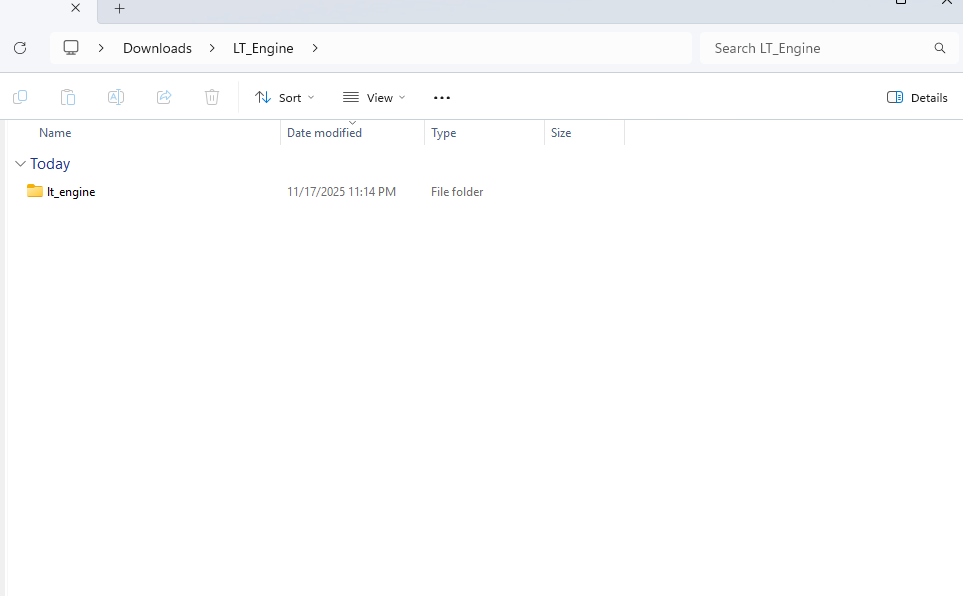
(Further…)
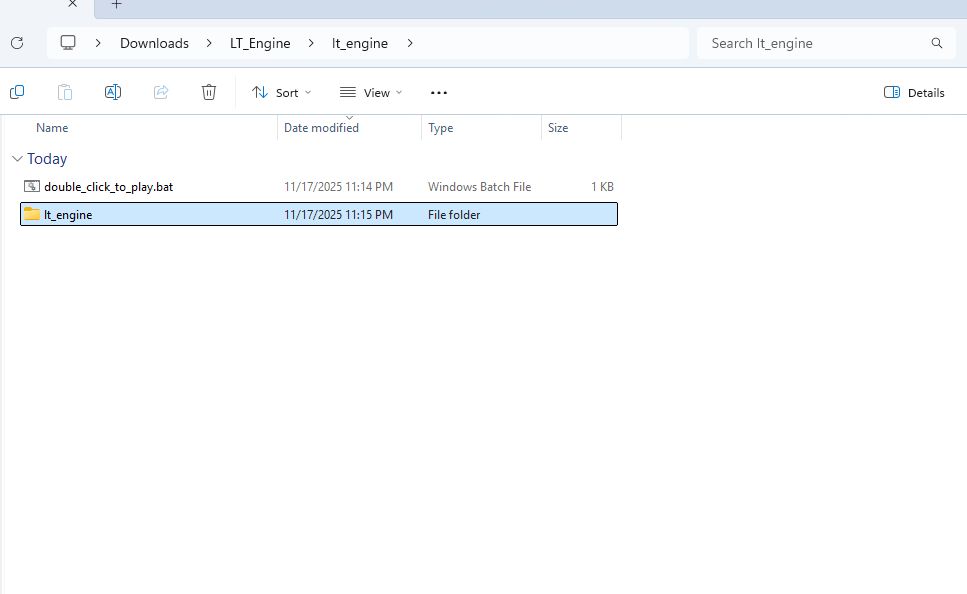
(Keep going…)

(You can place the file anywhere in the same directory as these files (they may be in a different order on your machine).)
Test that the engine works with your project, by navigating back up and double-clicking double_click_to_play.bat, and then re-zip it all up for distribution to others!
Python Process
If are working with the Python version of the Lex Talionis engine, the process is much simpler.
Open your project in the editor. Under the File menu, click Build Project. This will ask you where to place the build, and will then build the project in that location.
Afterwards, it will open the build folder.
Complete!
Your engine, ready for distribution, should be one directory above the lt-maker directory, and named the same as your project. Make sure to test it out first before delivering it to others!